
A letter template is a reusable, pre-structured document that organizations use to create uniform, professional letters without rebuilding formatting from scratch each time. Understanding what does letter template mean in an organization context goes beyond knowing it saves time. It means your organization speaks with one voice, maintains legal compliance, and reduces the chance of costly errors across every piece of written communication. Tools like Microsoft Word, Oracle NetSuite, and Hoaletterai all rely on this concept to help teams produce consistent, credible letters at scale.
What does a letter template mean for an organization?
A letter template, known in professional documentation as a *form letter* or *document template*, is a pre-built file that separates fixed structure from variable content. The fixed structure holds your organization's branding, legal disclaimers, and formatting rules. The variable sections are placeholders where writers fill in specific details like a recipient's name, date, or violation description.
The practical impact is significant. Templates cut a 15-minute manual formatting task down to roughly 2 minutes using guided fill-ins. That time savings compounds fast when your organization sends dozens of letters per month.

Letter formatting for organizations has a recognized standard. Block format with left alignment and 1.0-inch margins is the most widely accepted business letter style. It looks clean, reads clearly, and works across print and digital delivery.
What are the typical components of organizational letter templates?
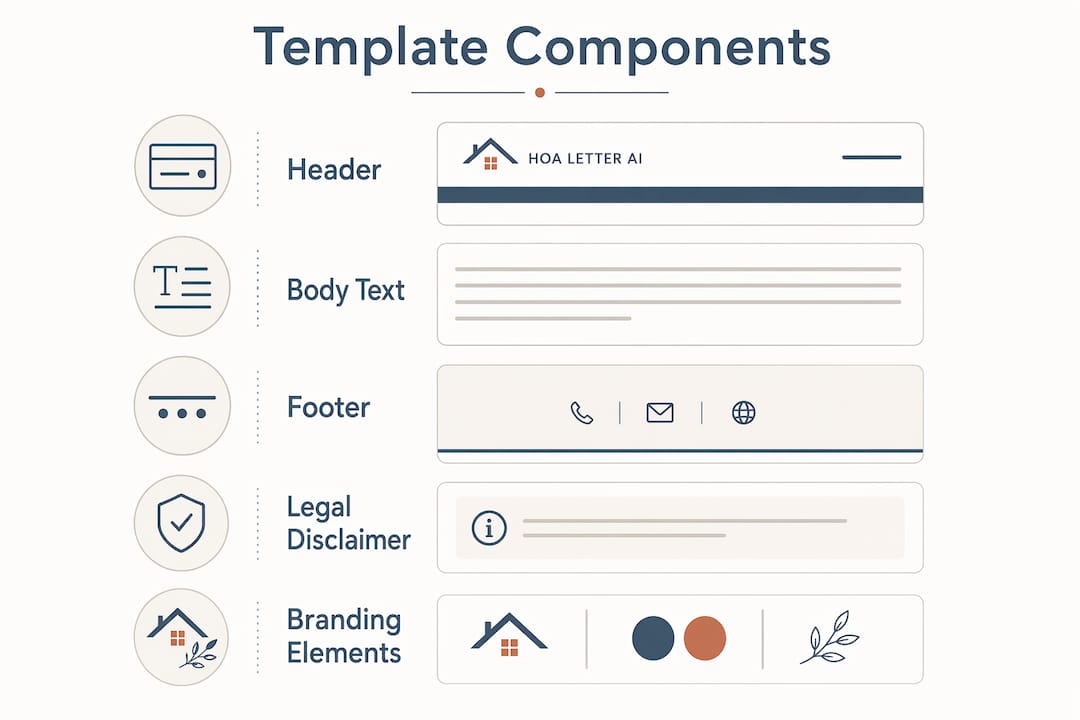
Every well-built organizational letter template contains two categories of elements: fixed and variable. Fixed elements stay the same across every letter. Variable elements change with each use.
Fixed elements typically include:
- Organization logo and letterhead
- Return address and contact information
- Footer with legal disclaimers or compliance language
- Font type, size, and line spacing
- Margin settings (standard is 1.0 inch on all sides)
- Signature block format
Variable placeholders typically include:
- Recipient name and mailing address
- Date of the letter
- Subject line or reference number
- Body text specific to the situation
- Name of the signing officer or board member
This structure is what gives the meaning of letter templates their real organizational value. Standardizing fonts, spacing, and disclaimers removes the guesswork for every person who writes a letter under your organization's name. Writers focus on the message. The template handles the presentation.
Pro Tip: *When building a template, lock your header, footer, and disclaimer fields so writers cannot accidentally edit them. Microsoft Word's "Restrict Editing" feature does this without requiring any technical expertise.*
How do letter templates benefit organizations in communication and branding?
The advantages of using letter templates extend well beyond convenience. They protect your organization's reputation, reduce legal risk, and create a professional experience for every recipient.
Here are the core benefits, ranked by organizational impact:
- Brand consistency. Every letter carries the same logo, colors, and font. Recipients recognize your organization immediately. Standardizing tone is as important as standardizing formatting, because inconsistent language erodes trust over time.
- Error reduction. Guided fill-in fields prevent writers from skipping required information. Picklists and date pickers eliminate typos in critical fields like dates and property addresses.
- Legal compliance. Sensitive language, such as state-required disclosures or enforcement notices, gets locked into the template. No writer can accidentally omit or alter it.
- Faster workflow. Templates separate structure from content, freeing authors to focus entirely on the message. This reduces cognitive load and speeds up letter production.
- Training efficiency. New staff members can produce professional letters on day one because the template guides every decision about format and required fields.
Pro Tip: *Treat your letter template as a living document. Schedule a quarterly review to update legal language, contact details, and branding elements. A template that reflects outdated information is worse than no template at all.*
What are common mistakes when using letter templates?
Most organizations adopt letter templates correctly but then let them degrade over time. Knowing the pitfalls in advance saves you from the most common and damaging errors.
- Saving as the wrong file type. Microsoft Word templates use .dotx or .dotm file formats, not .docx. When you save a template as a regular .docx file, every user who opens it risks overwriting the master. The .dotx format forces Word to create a new copy automatically, protecting the original.
- Template drift. Uncontrolled manual edits cause formatting inconsistencies that spread across your organization's letters over time. One person adjusts a margin. Another changes a font. Within months, your letters look like they came from different organizations entirely.
- Misspelling the word "template" itself. The misspelling "templete" instead of "template" appears frequently in organizational documents and harms professional credibility. A useful memory trick: think of the word "plate" inside "template" to lock in the correct spelling.
- Ignoring version control. Organizations that store templates in shared drives without naming conventions end up with multiple conflicting versions. Label templates clearly with version numbers and dates.
- Skipping placeholder instructions. Templates without clear guidance on what to type in each field produce inconsistent letters. Add brief instructions inside each placeholder field, such as "Enter full legal name of recipient here."
Pro Tip: *Store your master template in a read-only folder accessible to all staff, but editable only by a designated template owner. This single change eliminates most template drift problems.*
How do organizations create, share, and automate letter templates?
The tools and workflows available for letter template management have matured significantly. Organizations now have options ranging from basic word processors to fully integrated enterprise systems.
| Tool / Method | Best For | Key Feature |
|---|---|---|
| Microsoft Word (.dotx) | Small to mid-size organizations | Content controls, mail merge, restricted editing |
| Oracle NetSuite | Enterprise-level ERP users | Data tags auto-fill recipient info from database |
| Google Docs (shared templates) | Remote or cloud-first teams | Real-time collaboration, version history |
| Hoaletterai | HOA boards and property managers | State-aware drafts you review, USPS delivery option |
| CRM-integrated templates | Sales and service organizations | Auto-population from contact records |
Microsoft Word remains the most widely used tool for letter formatting in organizations. Its content controls let template designers create dropdown menus, date pickers, and locked text regions directly inside the document. Mail merge connects the template to a spreadsheet or database, generating personalized letters in bulk without manual entry.
Enterprise systems like Oracle NetSuite go further. Data tags such as CRMSDK pull recipient information directly from the database and insert it into the correct fields automatically. Authors write only the core message. The system handles every standardized field. This approach is standard in organizations that send hundreds or thousands of letters per month.
For HOA boards and property managers, Hoaletterai provides ready-to-use violation letter templates that include state-specific compliance language. The platform generates a one-page preview before sending, so board members can review the final letter without switching between multiple tools.
Templates act as operating systems for organizational communication. They lock legal disclaimers and required language into place, preventing errors that could expose the organization to liability.
Key takeaways
A letter template in an organization is a pre-structured document that locks in formatting, legal language, and branding so writers focus only on the message.
| Point | Details |
|---|---|
| Core definition | A letter template separates fixed structure from variable content to produce consistent letters fast. |
| File type matters | Save Word templates as .dotx files to prevent overwriting the master document. |
| Template drift is real | Restrict editing rights to a single template owner to maintain formatting consistency over time. |
| Automation scales output | Tools like Oracle NetSuite and Hoaletterai use data tags to auto-fill recipient fields across bulk letters. |
| Spelling counts | "Template" not "templete." One misspelling in a formal notice undermines organizational credibility. |
Why template governance is the skill most organizations skip
Most articles on letter templates stop at "here is how to create one." That misses the harder problem. Creating a template takes an afternoon. Keeping it accurate, consistent, and actually used by your team takes ongoing discipline.
In my experience, the organizations that get the most value from letter templates are not the ones with the most sophisticated tools. They are the ones with a clear owner for each template. One person is responsible for reviewing it quarterly, updating legal language when state rules change, and retiring old versions. Without that ownership, even a well-designed template drifts into irrelevance within a year.
The other thing most guides skip is training. A template is only as good as the person filling it in. If your team does not understand which fields are mandatory, what tone is appropriate, or why certain language cannot be changed, they will work around the template rather than with it. A 20-minute onboarding session on how to use your templates correctly pays back that time within the first week.
For HOA boards specifically, the stakes are higher than most realize. A letter with incorrect state-required language or a missing disclosure can invalidate an enforcement action entirely. That is not a formatting problem. That is a legal problem that a well-governed template prevents.
The best approach combines a governed master template with a tool that builds compliance into the workflow itself, so the template cannot be used incorrectly even by someone who does not know the rules.
> *— Blake*
How Hoaletterai handles letter templates for HOA boards
HOA boards face a specific challenge: every compliance letter must reflect current state law, community rules, and professional tone. Getting any of those wrong creates disputes, delays, and potential legal exposure.

Hoaletterai solves this with pre-built, state-compliant letter templates designed specifically for HOA enforcement communication. The platform generates a complete letter in minutes, includes a one-page preview for board review, and offers direct USPS mailing so you never need a separate tool. You can generate a violation letter and preview it free before committing to send. For boards managing multiple properties or high letter volume, Hoaletterai removes the manual work and the compliance risk at the same time.
FAQ
What does a letter template mean in an organization?
A letter template in an organization is a pre-structured, reusable document format that holds fixed branding, legal language, and formatting while leaving variable fields for writers to complete. It ensures every letter sent under the organization's name looks and reads consistently.
What is the difference between a .docx and a .dotx file?
A .docx file is a regular Word document that can be overwritten. A .dotx file is a Word template that automatically creates a new copy each time it is opened, protecting the original structure from accidental edits.
What are the most common types of letter templates in organizations?
Common letter templates include compliance notices, formal request letters, acknowledgment letters, enforcement notices, and hearing notifications. HOA organizations also rely heavily on violation letters, warning letters, and first-notice templates.
How do you avoid template drift in an organization?
Store the master template in a read-only location, restrict editing rights to one designated owner, and use Microsoft Word's content controls to lock fields that should never change. Review the template at least quarterly.
Why does letter template spelling matter for organizations?
Misspelling "template" as "templete" in formal documents signals carelessness and damages credibility. The correct spelling is "template," and a simple memory trick is to find the word "plate" inside it.
Recommended
- Institutional Letter Formatting Guidelines Explained | HOA Letter AI
- HOA Letter AI — HOA Violation Letter Generator (State-Compliant)
- HOA Collection Letters: A Respectful, Step-by-Step Reminder Sequence | HOA Letter AI
- HOA Violation Letter Template (Free Download) — State-Aware Drafting Guide | HOA Letter AI