
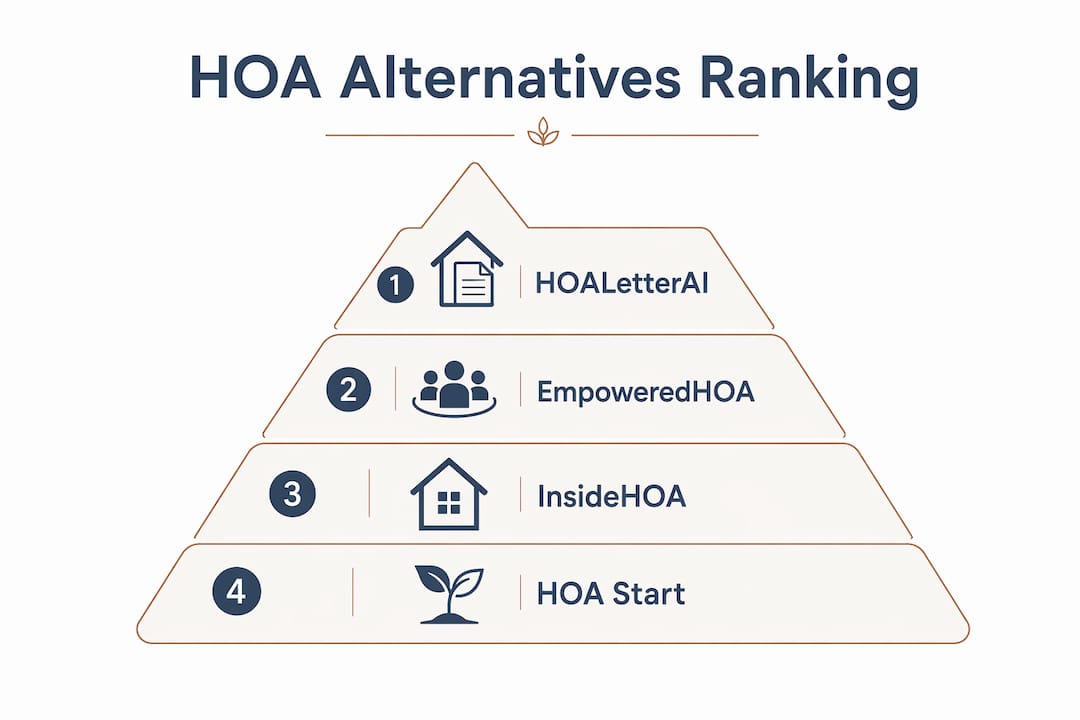
For most small, self-managed HOA boards that need fast, state-aware drafts you review and simple mailing options, HOA Letter AI is the clearest starting point, with EmpoweredHOA and InsideHOA worth a look if your board needs broader community engagement features.
Here is why that verdict holds for most volunteer boards:
- State-aware drafts you review reduce enforcement disputes before they start, and HOA Letter AI’s built-in checks catch formatting errors before a letter goes out.
- USPS mailing fulfillment means your board does not need a separate print-and-mail workflow.
- Pay-per-letter pricing keeps costs predictable for boards that send notices sporadically rather than at scale.
- No mandatory onboarding fees or training charges lower the barrier to getting started.
Standardized HOA letter templates are one of the most practical ways to reduce rework and keep enforcement consistent across board turnover.
Table of Contents
- How do the top Hoastart.com alternatives compare at a glance?
- Which alternative is the right fit for your board?
- How to choose the right alternative for your HOA
- How were these alternatives evaluated?
- Key Takeaways
- What most boards get wrong when switching tools
- HOA Letter AI: send your first state-aware draft today
- Sources and where to learn more
How do the top Hoastart.com alternatives compare at a glance?
HOA Start positions itself between enterprise property-management suites and basic engagement tools, targeting small-to-medium HOAs that want quick setup and HOA-specific templates. The platforms below occupy a similar or narrower niche, each with a different trade-off.
| Dimension | HOA Letter AI | EmpoweredHOA | InsideHOA | HOA Start |
|---|---|---|---|---|
| Best for | Compliance letters, small boards | Mid-size boards, community engagement | Resident communication, document sharing | Small-to-medium HOAs, general management |
| Ease of use | Very high | Moderate | Moderate | Moderate |
| State-specific templates | Yes, built-in | Partial | Limited | Template-driven setup |
| Delivery options | Email + USPS mailing | Email; USPS noted as differentiator | ||
| Built-in checks | Yes, formatting preview | Limited | Limited | Basic |
| Pricing shape | Pay-per-letter or subscription | Subscription | Subscription | ~$60–$95/month |
| Support & onboarding | Self-serve, responsive | Guided onboarding | Self-serve | Quick setup |
| Security / data handling | Dedicated security page | Standard | Standard | Standard |
| Trial / demo | Available | Demo available | Demo available | Listed on review sites |
Fastest path to try a solution: HOA Letter AI’s pay-per-letter model means you can send a single test letter before committing to any plan. That is the lowest-friction entry point among the options listed here.
Review listings consistently flag demo and trial availability as a top trust signal for volunteer-run boards, and for good reason: a tool that cannot prove its value in one session is a tool that will sit unused.

Which alternative is the right fit for your board?
HOA Letter AI
Best for: Small, self-managed boards that send compliance and violation letters and want the whole workflow, writing, formatting, and mailing, handled in one place.
- State-aware drafts you review with built-in language for your jurisdiction
- One-page preview before sending, so the board can catch errors without a separate proofing step
- USPS mailing fulfillment built in, no third-party print vendor needed
- Pay-per-letter or subscription pricing, depending on your volume
Pros: Lowest operational complexity of the group; no mandatory training or onboarding fees. Con: Focused on compliance letters specifically, so boards that also need accounting, payments, or a community website will need a separate tool.
EmpoweredHOA
Best for: Mid-size boards that want compliance letters alongside broader community management features like announcements and document storage.
- Guided onboarding makes initial setup less daunting for boards with no tech background
- Covers more than just letters: resident portals, announcements, and document libraries
- Subscription pricing suits communities with steady, repeat communication volume
Pros: More feature breadth than a letter-only tool; good for boards that want one platform for multiple tasks. Con: The broader feature set adds operational complexity, and onboarding fees are worth confirming before signing up.
InsideHOA
Best for: Boards that prioritize resident communication and document sharing over enforcement-letter generation.
- Resident-facing portal for announcements, meeting minutes, and community documents
- Self-serve setup with a moderate learning curve
- Subscription model; pricing not publicly listed, so request a quote
Pros: Strong resident communication layer; useful for boards that want to reduce inbound phone calls. Con: Limited state-specific compliance language for enforcement letters, which matters when a notice needs to cite the right statutory language.
HOA Start
Best for: Small-to-medium HOAs that want a general management platform with template-driven setup and some payment features.
- Priced around $60–$95 per month, with quick setup and HOA-specific templates
- Covers payments, website builder, and basic communication tools
- Pricing and contract terms can vary by edition, so confirm directly with the vendor
Pros: Broader feature set than a letter-only tool; covers payments and a community website. Con: More moving parts than most small boards need if the primary goal is just sending state-aware drafts you review.
How to choose the right alternative for your HOA
Start with your board’s actual capacity, not a feature checklist.
- Count your monthly letter volume. Fewer than 20 notices a month? Pay-per-letter pricing almost always costs less than a subscription. Higher steady volume tips the math toward a flat monthly plan.
- Assess your staffing reality. A two-person volunteer board cannot absorb a platform that requires a guided onboarding session and ongoing admin. Operational complexity is the deciding factor far more often than feature count.
- Confirm state template coverage. Ask vendors specifically which states their templates cover and whether the language is updated when statutes change.
- Test the delivery workflow. If USPS mailing matters to your board, run a single test letter before committing. Turnaround time and fulfillment quality vary.
- Check the total cost of entry. Monthly fee is only part of the picture. Ask about onboarding fees, per-seat charges, and whether professional services are required.
Must-ask questions for any demo:
- Are onboarding or training fees mandatory, or optional?
- Which states are covered by your compliance templates, and how often are they updated?
- What is the USPS fulfillment turnaround from letter submission to delivery?
- Where is resident data stored, and who has access?
- Can I send a single test letter before committing to a plan?
Red flags to watch for:
- Mandatory training charges bundled into the contract
- Hidden per-letter fees on top of a subscription
- No formatting preview before sending
- Vague answers about state-template coverage
Pro Tip: Run one real letter through any platform before your board votes to adopt it. A live test reveals workflow friction that no demo video will show you.
The HOA violation notice checklist is a practical companion when you are evaluating whether a platform covers every field your state requires.
How were these alternatives evaluated?
The shortlist was built around the dimensions that matter most to small, volunteer-run boards, not enterprise property managers.
- Ease of use: Can a board member with no tech background send a letter on day one without a training session?
- State-specific templates: Does the platform include jurisdiction-aware language, and is it maintained when statutes change?
- Delivery options: Email only, or does the platform handle print and USPS mailing fulfillment?
- Pricing shape: Pay-per-letter vs subscription, and are there hidden onboarding or per-seat fees?
- Support & onboarding: Is setup self-serve, or does it require paid professional services?
- Security and data handling: How is resident contact information stored and protected?
- Trial or demo availability: Can the board test the tool before committing?
Ease of use, template coverage, and delivery options were weighted highest because small HOA boards are almost always volunteer-run and cannot absorb the maintenance overhead that enterprise suites assume. Sources included vendor documentation, third-party review catalogs, and industry analysis of the HOA software market.
Key Takeaways
For most small HOA boards, the right alternative to Hoastart.com is the one with the lowest operational complexity, state-aware drafts you review, and a clear path to send a test letter before committing.
| Point | Details |
|---|---|
| Prioritize operational simplicity | Volunteer boards cannot absorb enterprise onboarding; choose tools a non-technical member can use on day one. |
| Match pricing to your volume | Pay-per-letter suits sporadic senders; subscription models make sense for steady, repeat notice volumes. |
| Confirm state template coverage | Ask vendors exactly which states are covered and how often templates are updated when statutes change. |
| Watch for hidden fees | Mandatory onboarding charges, per-seat fees, and required professional services are common cost drivers in enterprise suites. |
| HOA Letter AI as first test | HOA Letter AI’s pay-per-letter model and built-in USPS mailing make it the lowest-friction starting point for most small boards. |
What most boards get wrong when switching tools
The conventional wisdom says to pick the platform with the most features your budget allows. That advice is wrong for most HOA boards, and the evidence is pretty clear.
Enterprise property-management suites routinely impose hidden costs: mandatory onboarding, per-user fees, or required professional services that make them a poor fit for volunteer-run communities. A board that spends three weeks getting set up on a platform will not use it consistently, and inconsistent enforcement is exactly what creates legal exposure.
The feature that actually moves the needle for small boards is a one-page preview with built-in formatting checks. It sounds minor. But a letter that goes out with the wrong state citation or a missing required disclosure can trigger a dispute that costs far more than any software subscription. Formatting checks and state-specific template clauses are what reduce that risk, not a resident portal or an accounting integration.
When does an enterprise platform make sense despite the complexity? When your community manages more than 200 units, has a paid manager on staff, and needs integrated accounting alongside enforcement letters. At that scale, the overhead is justified. Below it, simpler wins.
HOA Letter AI: send your first state-aware draft today
Most boards evaluating Hoastart.com alternatives are not looking for a property-management suite. They need one thing: a fast, clean way to write and send a state-aware draft you review without a three-step workflow and a print vendor.
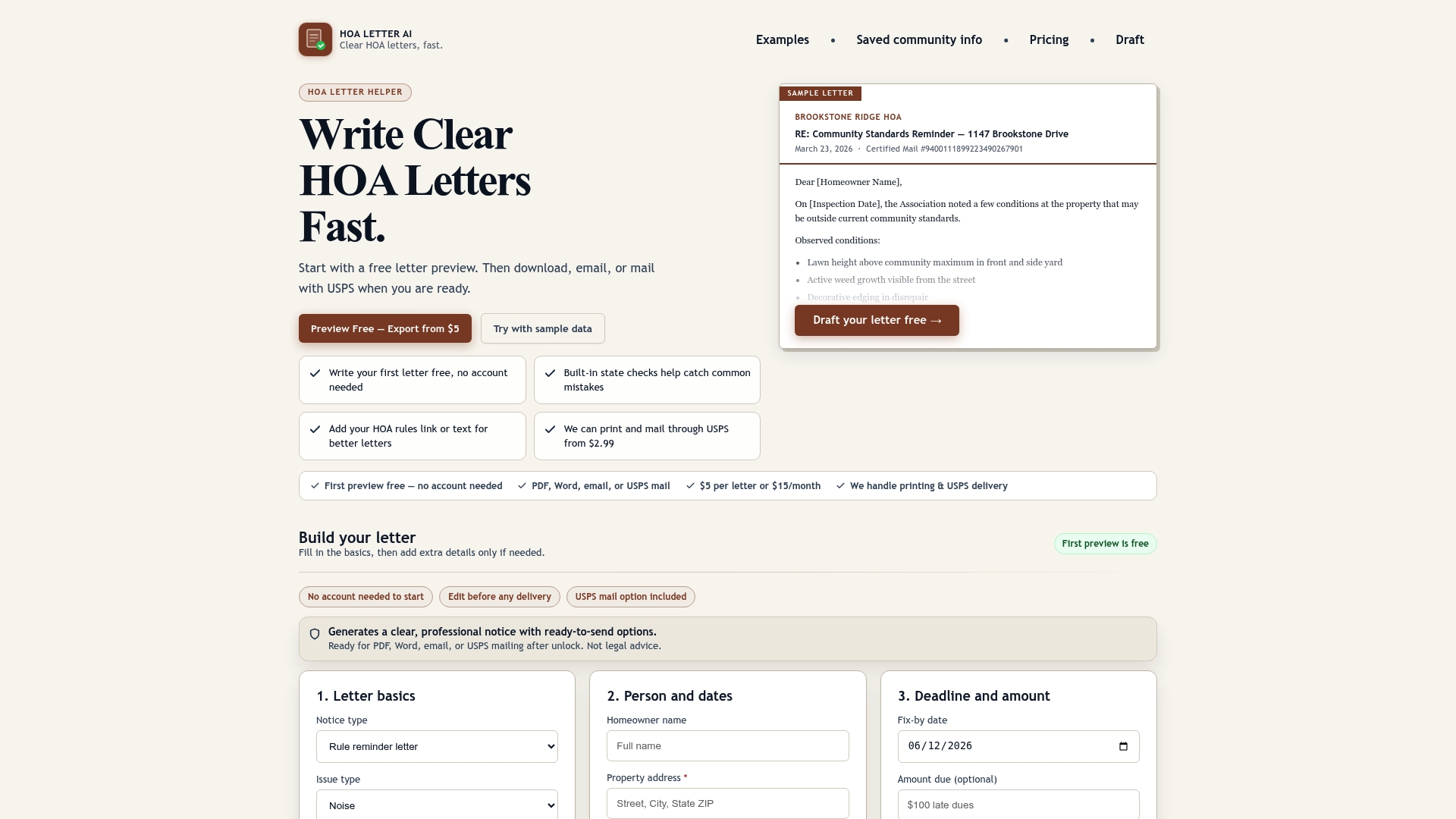
HOA Letter AI is built for exactly that. Here is what you get:
- State-aware drafts with jurisdiction-specific language that you review. HOA Letter AI is not a law firm and this is not legal advice
- Built-in formatting checks that flag errors before the letter leaves your hands
- One-page preview so the board can approve the final version in seconds
- USPS mailing fulfillment handled inside the platform, no separate print vendor
- Pay-per-letter or subscription pricing, so you pay for what you actually send
Start with a single HOA warning letter to test the workflow before rolling it out to your full enforcement process. The HOA Letter AI generator walks you through every field, checks your formatting, and gives you a mailing option in the same session.
Pro Tip: Before your board adopts any new platform, send one real letter through it. A live test with an actual notice reveals workflow gaps that a demo video never will.
Sources and where to learn more
- HOA Start: Details, Reviews, Pricing & Features — third-party profile covering HOA Start’s pricing band, feature set, and market positioning
- HOA Payments Software Comparison | HOA Start — vendor comparison page noting delivery options, USPS mailing, and payment feature rows
- HOA Start Reviews | SourceForge — user review catalog with notes on trial availability, support responsiveness, and pricing tiers
- HOAStart | Cubbie.com — third-party catalog entry flagging variable pricing, contract terms, and onboarding cost considerations
- HOA Violation Letter Laws by State | HOA Letter AI — state-by-state notice requirements and fine rules; verify current statutes directly with your state’s HOA authority
- HOA Violation Notice Checklist | HOA Letter AI — operational checklist covering required fields for state-aware drafts you review by state
| Source | What it covers |
|---|---|
| checkthat.ai/brands/hoa-start | HOA Start pricing, features, and market positioning |
| sourceforge.net (HOA Start) | User reviews, trial availability, support ratings |
| cubbie.com/products/hoastart | Contract terms, onboarding fees, edition variables |
| hoaletterai.com/hoa-laws | State notice requirements and fine rules |
| hoastart.com comparison pages | Delivery options, payment features, USPS mailing notes |
Pricing and state-specific rules change. Confirm current terms directly with each vendor and verify notice requirements with your state’s HOA governing authority before sending enforcement letters.