
A letter preview workflow is the structured sequence of steps an organization uses to draft, review, approve, and distribute outgoing letters with consistent quality and full compliance. Without this process, letters leave organizations with errors, inconsistent tone, and missing legal language. For HOA boards and property managers, those gaps carry real legal and reputational risk. The letter preview workflow organizations explained in this guide covers every stage from template creation to final delivery, with practical guidance on optimization, piloting, and scaling.
What are the key components of a letter preview workflow?
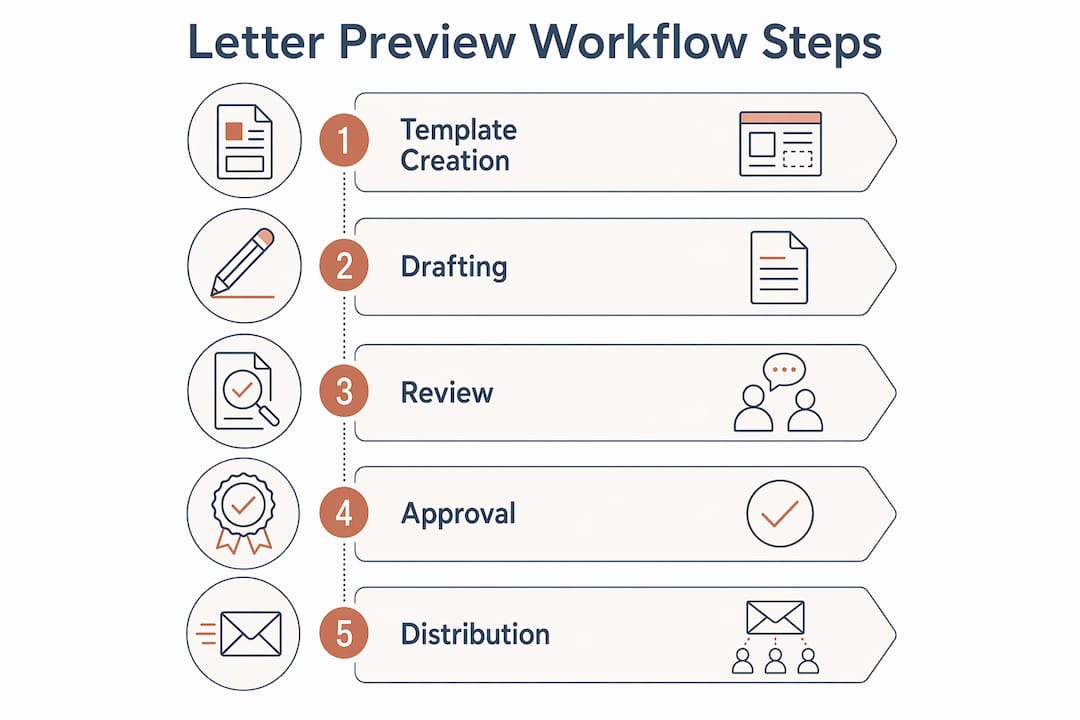
A letter preview workflow moves a letter through five defined stages: template creation, drafting, review, approval, and distribution. Each stage has a named owner, a clear trigger, and a defined output. Skipping any stage or leaving ownership vague causes delays and errors that compound downstream.
The five stages work as follows:
- Template creation. A base letter is built with locked formatting, required legal language, and merge fields for variable data such as homeowner name, address, and violation type.
- Drafting. A staff member or automated system populates the template with case-specific details.
- Review. An editor checks the draft for accuracy, tone, and completeness against community rules.
- Approval. A designated approver, typically a board member or manager, signs off before the letter is sent.
- Distribution. The approved letter is delivered by email, USPS mail, or both, with a delivery record retained.
Roles matter as much as stages. Clear, sequential roles such as Editor, Reviewer, and Approver prevent feedback paralysis that stalls reviews. Assigning a task to “the board” rather than to a specific person is the single most common cause of workflow stalls. Ambiguity in responsibility is the primary cause of bottlenecks in collaborative workflows. That finding means every task in your letter workflow needs one person’s name attached to it, not a department label.
Pro Tip: Set a signing deadline of 48–72 hours on approval tasks. Letters configured with signing deadlines in that window see improved completion rates without requiring manual follow-up.

Centralized feedback also cuts cycle time. Document review workflows with clear roles and a single feedback location prevent parallel comments scattered across email threads, text messages, and shared drives. One channel, one record, one outcome.
How do workflow optimization strategies improve letter preview processes?
Optimization is not the same as automation. The correct sequence is: remove waste, redesign the process, then automate what remains. Automating a broken workflow magnifies errors and produces faster, larger-scale failures. That principle is the most overlooked rule in organizational workflow management.
The diagnostic step most administrators skip is scoring each workflow before touching it. Rate your letter preview process on four dimensions:
- Frequency: How often does this letter type go out?
- Manual load: How many person-hours does one cycle consume?
- Error rate: How often does a letter require rework or correction?
- Strategic drag: Does a slow letter process delay enforcement or compliance action?
High scores across all four dimensions identify your highest-priority workflow to fix first. Workflow optimization frameworks recommend this scoring approach precisely because it removes guesswork from prioritization.
Once you identify the priority workflow, map every step currently in use and eliminate steps that add no value. Optimization alone can reduce process step counts by roughly 33% before any automation is applied. That reduction matters because fewer steps mean fewer handoff points where errors enter.
| Optimization approach | What it targets | Typical result |
|---|---|---|
| Waste removal | Redundant steps and duplicate approvals | Fewer handoffs, faster cycle time |
| Role clarification | Unnamed or shared task owners | Reduced stalls and missed deadlines |
| Centralized feedback | Scattered comment channels | Shorter review rounds |
| Tiered approval logic | All letters requiring senior sign-off | Routine letters auto-approve; exceptions escalate |
| Baseline measurement | Unknown cycle time and cost | Quantified savings after changes |
Measurement is not optional. Optimization without measurement is just rearranging furniture. Capture your baseline cycle time, error rate, and cost per letter before making any changes. Post-implementation, most teams see cycle time reductions of 33% or more and cost savings in the 25–40% range.
Pro Tip: Hidden idle time inflates cycle times more than the actual work does. Focus first on reducing queue time and approval transit time, not on speeding up the drafting step itself.
What are best practices for piloting and scaling letter preview workflows?
Piloting before full rollout is the difference between a workflow that sticks and one that gets abandoned after the first difficult case. A pilot surfaces edge cases, builds team confidence, and reveals gaps in your trigger logic before they affect real homeowners.
Run your pilot for 2–4 weeks. Administrative teams benefit from 20-minute weekly reviews of workflow bottlenecks and stalled tasks during this period. Those short reviews catch problems early, when fixing them is cheap.
During the pilot, track these specific items:
- Edge cases where the template does not fit the situation
- Steps that take longer than expected due to missing information
- Approval tasks that stall because the named owner is unavailable
- Feedback that arrives outside the designated channel
- Letters that require manual override of the standard process
After the pilot, use that data to refine your trigger rules and approval logic. Structured approval workflows with tiered approvals and escalation policies keep momentum while matching your organization’s risk tolerance. Routine violation notices can auto-approve after editor review. Letters involving legal action or large fines should always require a named senior approver.
Balancing automation with human judgment is the hardest part of scaling. The best automation candidates are repetitive, rule-based, and low-judgment tasks. Sensitive letters, such as those involving disputes, legal deadlines, or vulnerable residents, need a human in the loop at the approval stage. Automation handles volume; human judgment handles risk.
Pro Tip: Assign a backup approver for every approval task before you scale. A single point of failure at the approval stage is the most common reason scaled workflows stall during vacations or staff transitions.
How does template integration improve the letter preview process?
Reusable, locked letter templates are the foundation of an efficient letter preview process. A well-built template library means drafters never start from a blank page, reviewers spend less time correcting formatting, and every letter that leaves the organization carries the correct legal language for the relevant state.
The four steps to building an effective template library are:
- Catalog your letter types. List every letter your organization sends: first notices, repeat violations, fine assessments, hearing notices, and courtesy reminders. Each type needs its own template.
- Lock the non-variable content. Legal language, required disclosures, and formatting must be locked so drafters cannot accidentally delete or alter them. Version control and administrative locking prevent unauthorized changes, which is critical for compliance.
- Map merge fields clearly. Every variable, such as homeowner name, property address, violation description, and fine amount, should be a labeled merge field. Full content transparency at this stage prevents drafters from leaving blank fields in sent letters.
- Connect templates to your workflow platform. When a trigger fires, the correct template should populate automatically with the case data already in your system.
Standardized letter templates reduce the cognitive load on board members and administrators by removing formatting decisions from the drafting step entirely. The drafter fills in facts; the template handles everything else. That division of labor is what makes high-volume letter workflows sustainable without sacrificing quality.
Common letter types that benefit most from template standardization include parking violation notices, trash and recycling reminders, noise complaint responses, pet rule violations, and architectural modification denials. Each of these follows a predictable structure that maps cleanly to a reusable template with defined merge fields. For compliance-sensitive letters, formatting best practices such as required notice periods, font size minimums, and delivery method documentation should be built directly into the template rather than left to individual drafters.
Key Takeaways
A structured letter preview workflow with named owners, locked templates, and tiered approvals is the most reliable way to maintain compliance and consistency across all organizational correspondence.
| Point | Details |
|---|---|
| Define five clear stages | Template creation, drafting, review, approval, and distribution each need a named owner and trigger. |
| Score before you optimize | Rate workflows on frequency, manual load, error rate, and strategic drag to prioritize correctly. |
| Pilot for 2–4 weeks | Run a limited pilot to surface edge cases and refine approval logic before full rollout. |
| Lock templates for compliance | Version-controlled, locked templates prevent unauthorized changes and enforce legal language. |
| Measure baseline metrics | Capture cycle time and error rate before changes so you can prove improvement after. |
What I’ve learned from watching organizations get this wrong
Most organizations that struggle with letter workflows have the same problem: they built the process around how things have always been done rather than around what the process actually needs to accomplish. I’ve seen boards with six people in a review chain for a routine parking notice. The letter takes two weeks to reach the homeowner. By then, the violation has repeated twice.
The fix is almost never more technology. It is almost always clearer ownership and a shorter approval chain. When you assign a task to “the board,” nobody owns it. When you assign it to Maria, Maria owns it. That distinction sounds obvious, and yet it is the most frequently skipped step in workflow design.
The other mistake I see constantly is automating before optimizing. An organization will buy a workflow platform, plug in their existing process, and wonder why letters still go out with errors. The platform did not create the errors. The process did. Automation just made the errors arrive faster.
What actually works is the diagnostic-first approach: score your workflows, remove the waste steps, clarify ownership, then automate the repetitive parts. Keep a human at the approval stage for any letter that carries legal weight or touches a sensitive situation. The goal is not to remove people from the process. The goal is to remove unnecessary steps so the right people can focus on the decisions that actually require judgment.
Measure everything before and after. If you cannot show that your new workflow cut cycle time or reduced errors, you have no basis for knowing whether it worked. Numbers make the case for continued investment and protect the workflow from being dismantled the next time someone decides to “simplify.”
— Blake
How Hoaletterai supports structured letter preview workflows
Hoaletterai is built for exactly the kind of structured, compliant letter preview process described in this guide.
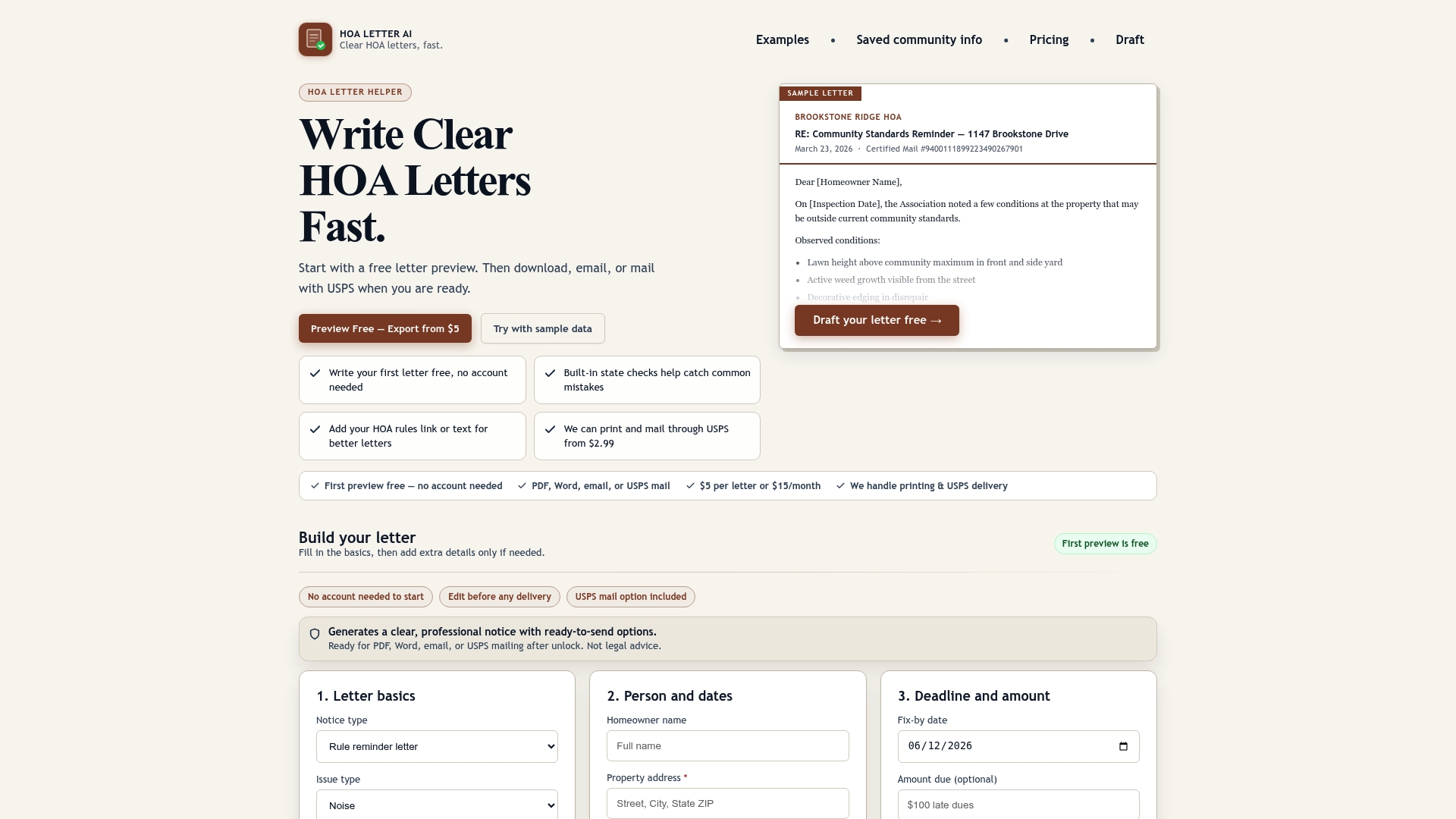
Board members and property managers use Hoaletterai to generate state-compliant violation letters in minutes, with built-in checks that catch common errors before a letter reaches the approval stage. The platform includes a one-page preview that gives approvers a clear, formatted view of the final letter before it goes out, eliminating the back-and-forth that slows manual review cycles. USPS mailing is available directly from the platform, so distribution requires no additional tools. For California associations, state-specific letter requirements are built into every template, keeping your workflow compliant without requiring administrators to track regulatory changes manually. Administrators managing high letter volumes can also explore the property manager workflow tools Hoaletterai offers for scaled operations.
FAQ
What is a letter preview workflow in an organization?
A letter preview workflow is a defined sequence of steps, including drafting, review, approval, and distribution, that an organization follows to produce consistent, compliant outgoing letters. It assigns named owners to each stage and uses standardized templates to reduce errors.
How do you optimize a letter preview process?
Score your current workflow on frequency, manual load, error rate, and strategic drag to identify where to focus first. Remove waste steps and clarify ownership before applying any automation.
Why is template locking important in letter workflows?
Locked templates with version control prevent drafters from accidentally altering required legal language or formatting. This is the primary mechanism for maintaining compliance across high-volume letter operations.
How long should a letter workflow pilot run?
Run a pilot for 2–4 weeks and conduct 20-minute weekly reviews to catch bottlenecks and edge cases before full rollout. Use the pilot data to refine trigger rules and approval logic.
When should a human review a letter instead of auto-approving it?
Letters involving legal deadlines, disputes, large fines, or sensitive resident situations require human approval. Routine, rule-based notices with low legal risk are the best candidates for auto-approval within a tiered workflow structure.