
To export HOA letters cleanly, keep one accurate owner spreadsheet, map each column to a merge field in your letter, preview every record, and only then print, save or send. The same discipline applies whether you merge in Word or draft each notice in a letter tool: the data goes in once, the checks happen before the letter leaves your hands, and you keep a copy of what went out.
This guide covers the practical side: which details belong in merge fields, how to avoid sending the right letter to the wrong owner, what to check in each exported letter, which file and delivery options to weigh, and what the law may require before a notice counts as delivered.
HOA Letter AICreate Clearer HOA Compliance LettersHOA Letter AI combines guided drafting, state-specific context, community rules, and built-in checks to help teams prepare professional notices.Visit HOA Letter AITL;DR
- Build the source list first. Column names should match the fields you insert, and every correction should be made before you connect the spreadsheet to the letter.
- Treat the owner’s mailing address and the property address as two separate fields. They are often different, and co-owners may need manual entries.
- Preview every merged record before you finish the merge, then spot-check the exported files against your records.
- Choose the delivery method your state and governing documents allow. Electronic delivery may require the owner’s recorded consent.
- Keep a copy of every exported notice and proof of how and when it was sent.
Table of Contents
- Pick the right export route for the job
- Set up your data source before you open the letter
- Which details should be merge fields
- Run a batch without mixing up owners
- What to check in each letter before you export
- Choose a file format and delivery method
- Verify delivery rules before you send
- Our perspective
- Draft, check and send from one place
- FAQ
- Sources
Pick the right export route for the job
Not every letter needs a merge. The route depends on how many letters you are sending and how different they are.
| Situation | Best route | Why |
|---|---|---|
| Same announcement to every owner (annual meeting, assessment reminder) | Word mail merge from an Excel list | One template, many recipients, a clean preview step |
| One violation notice to one owner | A guided single-letter drafting tool | Each notice needs its own facts, rule citation and cure period |
| Many violation notices with different facts | Reusable community profile plus per-letter drafting | Community details stay fixed, violation details change |
| Notices that must go by mail | Export for printing, or a mailing option built into the tool | Saves printing, folding and stamping |
The mistake boards make most often is using a mass mail merge for something that is not a mass mailing. A newsletter has identical text with different names. A violation notice has a different photo date, a different rule section and a different deadline for every owner. Merge fields handle the first well and the second poorly, unless the deadline, rule and description are also columns in your sheet.
Set up your data source before you open the letter
Most merge errors are data errors. The wording of the letter is rarely the problem.
Microsoft’s guidance for an Excel source is plain: column names should match the fields you plan to insert, all merge data should sit on the first worksheet, and percentages, currency and ZIP codes should be formatted correctly. It also says to finish all changes before connecting the spreadsheet to Word. Do your cleanup first, because editing the sheet halfway through a merge is how stale data slips in.
A practical sheet for an association might use these columns:
| Column header | What goes in it | Watch for |
|---|---|---|
| OwnerName | Name as it appears on the deed or ledger | Co-owners, trusts, LLCs |
| MailingAddress, City, State, ZIP | Where the owner receives mail | Leading zeros in ZIP codes, absentee owners |
| PropertyAddress | The lot or unit the notice concerns | Different from the mailing address for rentals |
| AccountNumber | Your internal ledger ID | Duplicates |
| ViolationType | Short label for the issue | Consistent wording across rows |
| RuleCitation | CC&R, bylaw or rule section | Section numbers that match the current governing documents |
| ObservedDate | Date the issue was seen | Date formatting |
| CureDeadline | Date the owner must fix it by | Calculated from your state’s required period |
| AmountDue | Fine or balance, if any | Currency formatting |
Two cautions come straight from association practice. An official lake association guide notes that tax-record mailing addresses may differ from the property’s own address, and that multiple owners or family members who pay may need to be added to the Excel list by hand. The same applies to an HOA. If you pull addresses from a county record, compare a sample against your own roster before you trust the whole list.
Also confirm the header row. In Word’s wizard, you are asked to confirm that the first row contains column headers. If it does not, your first owner becomes a field name and quietly disappears from the batch.
For questions on how to word the greeting when a unit has several owners, see our guide on addressing HOA letters to multiple owners.
Which details should be merge fields
A good rule: anything that changes from one owner to the next is a field, and anything that is the same for everyone is fixed text in the template.
Make these fields:
- Owner name and mailing address block
- Property address
- Account or lot number
- Violation description, rule citation and observed date
- Cure deadline and any hearing date
- Amount due
Keep these as fixed text:
- The association’s legal name and return address
- The board’s contact method
- Mandatory statutory language for your state
- Signature block
Fixed text is safer than a field for statutory language. If every letter carries the same required paragraph, you review it once rather than hundreds of times. It also helps to read the seven elements an HOA notice should contain while building the template, so the fixed portion is complete before you merge anything.
A subtle point: a merge field inserts whatever is in the cell. If the cell says “fence” and your sentence reads “You have violated the rule regarding «ViolationType» violations,” you get “fence violations,” which is fine, but “Unapproved exterior paint color” reads clumsily in the same slot. Write your template sentences so they work with the shortest and longest entries in the column, or standardize the entries.
Run a batch without mixing up owners
The risk in a batch is not that the software fails. It is that the wrong row feeds the wrong letter, or that a stale file feeds the right one. These habits reduce both.
- Lock a single source of truth. Save the list with a date in the filename and merge only from that file. Do not edit it after the merge starts.
- Add a unique ID column. An account number printed in small text in the footer lets you match any printed letter back to a row in seconds.
- Sort and filter deliberately. Filter to the owners receiving this notice, then check the record count against the number you expect. If you expect 14 notices and the merge says 17, stop.
- Preview record by record. Both Microsoft’s workflow and the lake association guide include a preview step with navigation controls before finishing. Use it on every record in a small batch, and on the first, last and a few random ones in a large batch.
- Finish to individual documents first. Both guides describe editing individual documents as an option at the end. Generating them as individual documents lets you fix one letter without redoing the rest, and gives you separate files to archive per owner.
- Keep a send log. A simple tab in the spreadsheet with the date exported, method and who approved it is enough.
If your management company runs this for several associations, the same logic scales. Reusable community profiles, where each association’s name, address, rules and state context are stored once, remove the most common cross-contamination error: a letter that carries the wrong community’s name or fine schedule. Some teams also automate the data flow between their accounting records and their letters; low-code workflow automation is one way larger operations connect those systems.
What to check in each letter before you export
Run this list on a printed or on-screen preview, not on the template.
- Right owner, right property. Name, mailing address and property address match the ledger for that account.
- Right facts. The description, the date the issue was observed and any photo reference belong to this owner.
- Right rule. The cited CC&R or bylaw section exists in the current governing documents and says what the letter says it does.
- Right deadline. The cure period meets your state’s minimum and your documents’ timeline, and the date falls on a real calendar date.
- Required language is present. Hearing rights, payment instructions or other mandated statements are included for your state. Our violation notice checklist for board members walks through them.
- Tone is factual. Describe the condition and the requirement. Leave out guesses about motive.
- No leftover merge syntax. Look for stray brackets, double spaces, “Dear ,” and fields that pulled blanks.
- Attachments are attached. If the notice must travel with a document, such as a rule excerpt or a hearing form, confirm it is in the package.
For hearing-related notices, timing and content rules deserve their own review: see HOA hearing notice requirements. If you need help with wording itself, writing effective violation notices covers structure and tone.
Choose a file format and delivery method
Once a letter is final, you have to decide what form it takes and how it travels. Think about three things: whether the recipient can open it, whether you can prove it was sent, and whether you can store it.
| Format or method | Good for | Consider |
|---|---|---|
| Archiving, emailing, printing; layout stays fixed | Cannot be edited by the recipient, which is usually what you want for a notice | |
| Editable word-processor file | Drafts the board still needs to revise | Easy to alter accidentally, so convert to PDF for the record |
| Printed and mailed | Notices that must go in tangible form | Postage cost and mailing time; keep your mailing proof |
| Owners who have agreed to electronic notice | Consent and designated address rules may apply | |
| Posted or hand delivered | Where the governing documents allow | Record who delivered it and when |
A useful pattern is to keep one archive copy as PDF per letter, named with the date, account number and notice type, for example 2026-11-05_A1042_ViolationNotice.pdf. When a dispute arises months later, you can locate the exact document that left the building.
If you merge in Word, the last step is Finish & Merge, where you choose printed documents or email messages. Email merge sends to whatever address is in your sheet, so the consent check below happens before this click, not after.
Verify delivery rules before you send
Exporting a letter is not the same as delivering a valid notice. State law and your governing documents decide what counts. The rules differ widely, so these examples show the kind of requirement to look for, not a universal standard.
Washington. The state’s common interest ownership statute requires notice in a record. Electronic notice to an owner is effective only if the owner consented in a record and designated an electronic destination. Notice may also go in tangible form by mail, private carrier or personal delivery, subject to other law and the governing documents. Required accompanying materials must be included, and the statute addresses the confidentiality of electronic addresses.

Florida. The state’s administrative rule on electronic notice requires written, signed consent or revocation, and requires legally required attachments to accompany an electronic meeting notice. It also expects associations to retain consent forms, affidavits, receipts, copies of electronic notices with attachments and transmission records as official records open to inspection and copying.
The lesson for your export routine:
- Keep a consent column in your owner sheet (Mail only, Email consented) and filter on it before any email batch.
- Store consent records where a successor board or manager can find them.
- Archive the final letter, its attachments and the transmission proof together.
- Look up your own state. If you are in California, our state page on California HOA violation letters and the California violation notice guide are good starting points; for Virginia see Virginia HOA notice requirements.
For anything that could lead to a fine, a lien or a lawsuit, have the association’s attorney confirm the process and the template. This is the point where a small review costs far less than a defective notice.
Our perspective
Most boards come to us after a merge has gone wrong: a letter citing the wrong section, a deadline that was off by a week, or the same fine amount pasted into every notice. The pattern is consistent. The spreadsheet was fine for mailing labels and was never built to carry violation facts.
We built HOA Letter AI around the idea that a compliance letter is a small, specific document, not a mass mailing. You are guided through the facts, the community’s rules and your state’s context are brought into the draft, and built-in checks look for mandatory language and completeness. You see a one-page preview for free and no account is required to start, so the first thing you review is the letter itself, not a sign-up form.
For property managers, the reusable community profile does the job that a carefully maintained merge sheet tries to do: community details live in one place, so a letter for one association does not pick up another’s details. When the letter is right, you export it or mail it from the same screen.
Whatever tool you use, the standard is the same: the right owner, the right rule, the right deadline, and a record that proves what you sent.
Blake
Draft, check and send from one place
If you send occasional notices, a mail merge is more machinery than you need. HOA Letter AI lets you draft a state-aware compliance letter, see the one-page preview free, and unlock it for $5 per letter. Boards that send regularly can use the self-serve board lane at $15 per month, and homeowners replying to a notice can generate a response letter for a one-time $5.
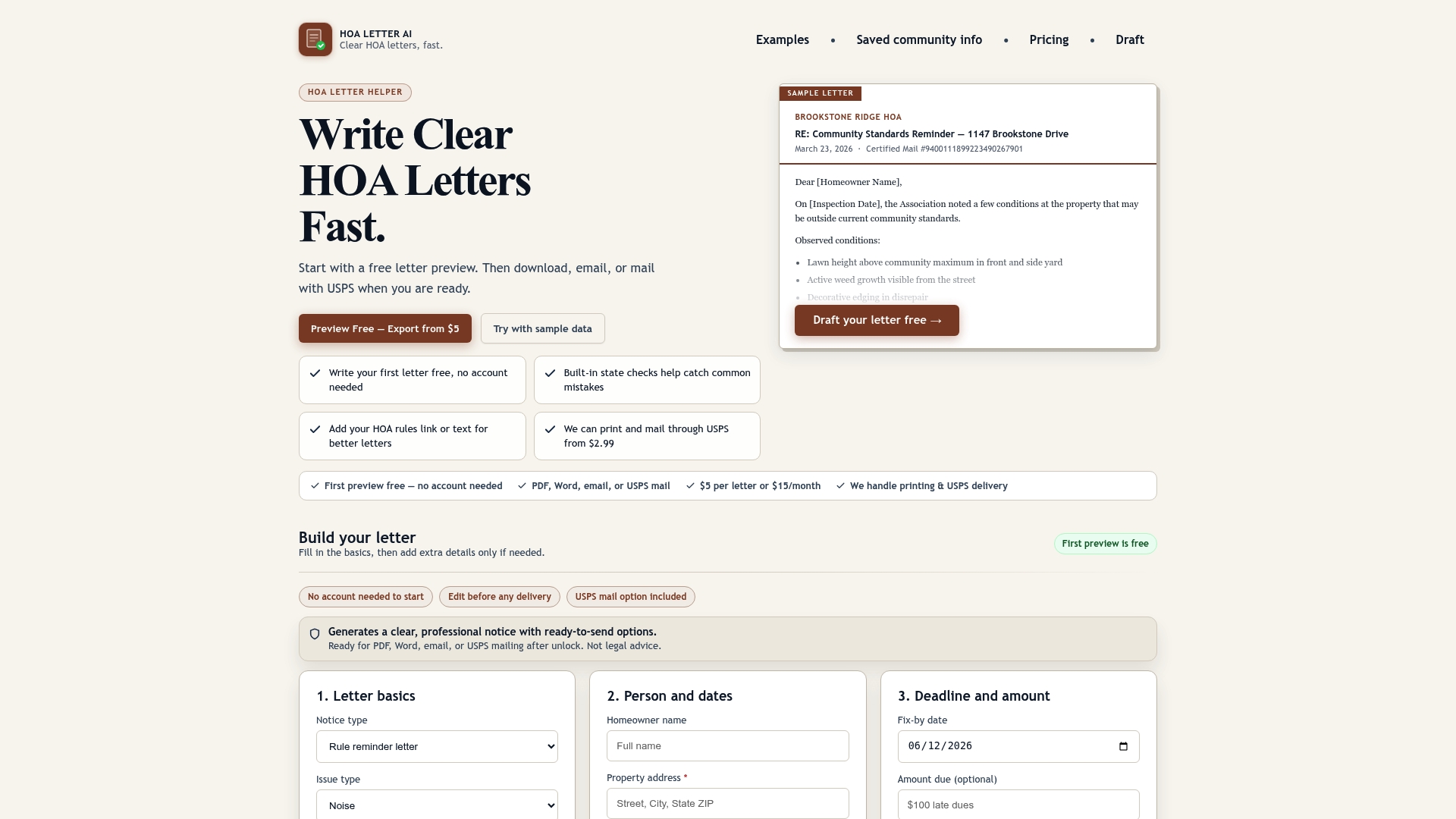
When a letter has to go by post, optional USPS mailing starts from $2.99 per letter and is set up on the draft page. Property management teams handling several communities can look at PM Starter at $199 per month, PM Pro at $399 per month, or the 30-day PM Pilot at $499 one-off on the property managers page. You can start with a free preview at HOA Letter AI.
FAQ
What are merge fields in an HOA letter?
Merge fields are placeholders in a letter template, such as owner name or property address, that are filled from a spreadsheet column when you run the merge. The column headings in your sheet should match the fields you insert. Anything that changes per owner should be a field, and anything constant should be fixed text.
Can I send every HOA letter as a bulk merge?
Bulk merge works well for identical announcements. Violation notices differ in facts, rule citations and deadlines, so each one needs those details stored as columns or drafted individually. Whichever you choose, preview every record before finishing.
Is it legal to email an exported HOA notice?
It depends on your state and your governing documents. Washington, for example, makes electronic notice effective only for owners who consented in a record and designated an electronic destination, and Florida requires written, signed consent. Confirm your state’s rule and keep the consent on file before emailing.
What should I keep after exporting letters?
Keep the final letter, any attachments, the consent record if you sent electronically, and proof of mailing or transmission. Florida’s rule, for instance, treats such records as official records open to owner inspection. A dated PDF per letter plus a send log covers most boards’ needs.
Why did my merge put the wrong address on a letter?
The usual cause is a mailing address that differs from the property address, or a co-owner missing from the list. Tax-record addresses often differ from the property’s own, so compare your list against the association roster and add co-owners by hand where needed.
Sources
- Microsoft Support: mail merge using an Excel spreadsheet
- Itasca SWCD: How to create a lake association mailing list
- Washington Revised Code 64.90.515: notice
- Florida Administrative Code R. 61B-75.002: electronic notice
- Low-code workflow automation with Microsoft Power Platform and Odoo